Yapcut Get the app

Say it as many times as you want. Yapcut keeps the best take.

Film to camera with a teleprompter that follows your voice. Yapcut lines up every retake with your script, keeps the best one for each line, adds captions and hands you a vertical video ready to post.

Download on theApp Store

3 days free. For iPhone.

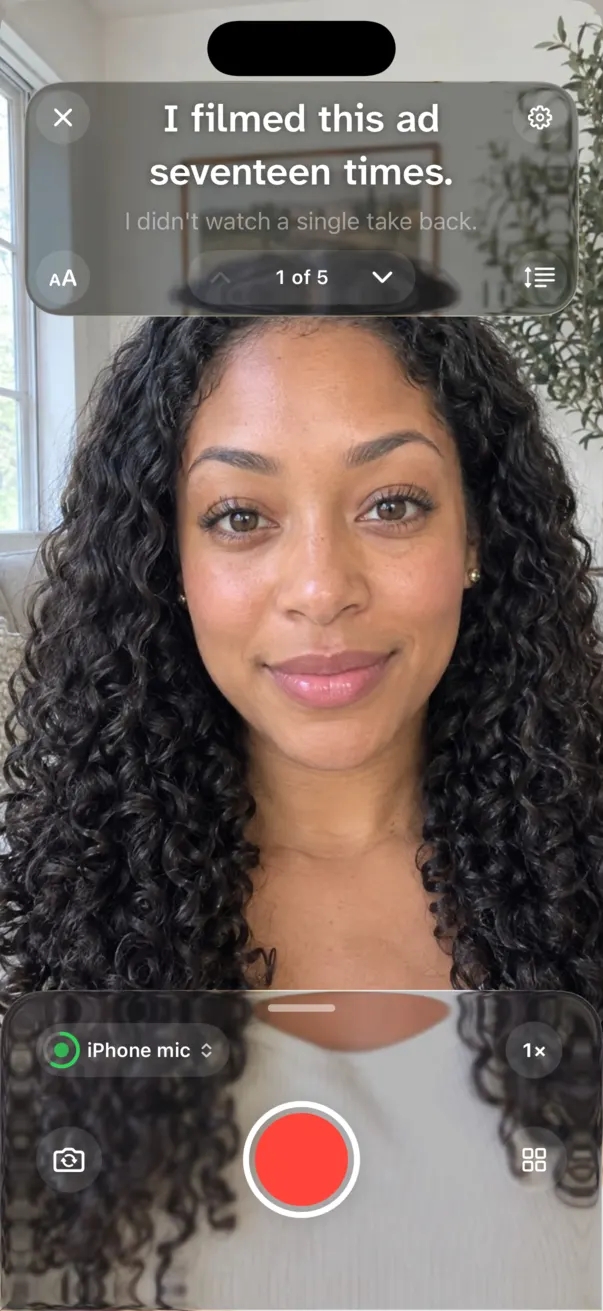
Yapcut's camera with the teleprompter showing the line “I filmed this ad seventeen times.” while recording.
Line 117 takes
I filmed this ad seventeen times.

Best take kept. The other 16 are still there.

Three steps, no timeline.

You don't scrub through footage looking for the good bit. You say your lines, and Yapcut does the sorting.

  1. Write it

    Type or paste what you'll say, one line at a time. Stuck? Write with AI drafts a script for your audience. Or skip the script entirely.

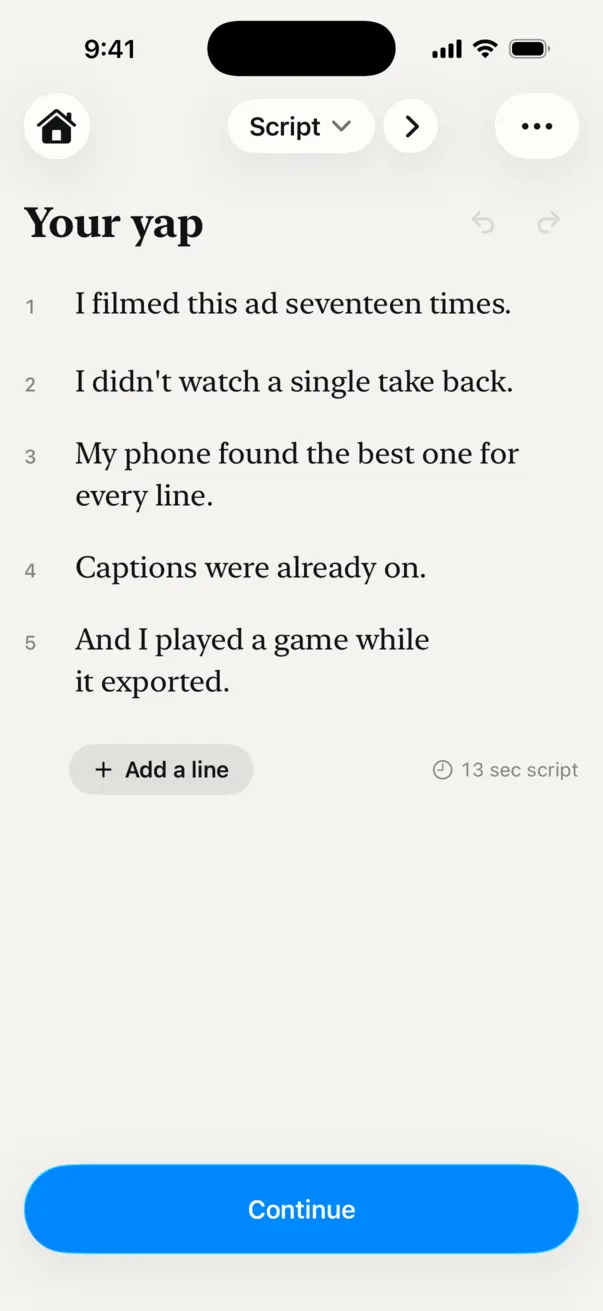
    The Script step with five numbered lines.
  2. Film it

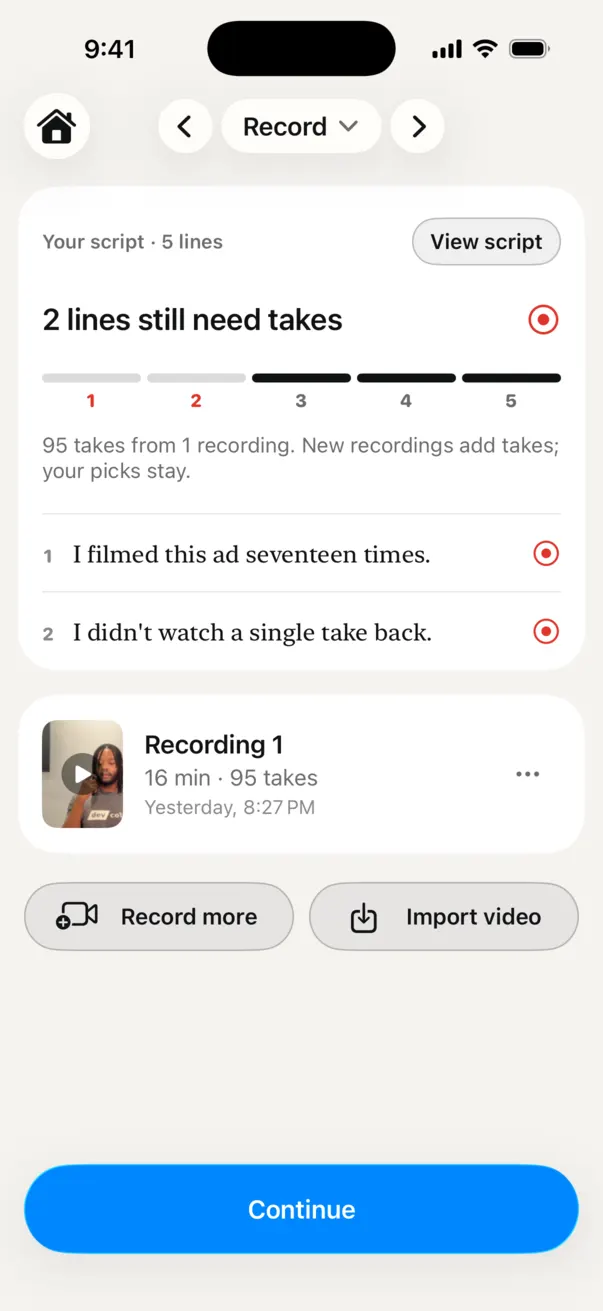
    Read from the teleprompter by the lens. Flub a line? Just say it again. Keep rolling; one recording can hold every take.

    The Record step: 95 takes found in one 16-minute recording.
  3. Pick and post

    Yapcut has already chosen a take for every line. Swap any of them, check the captions, and save a vertical video.

    The Pick step: line 1 has 17 takes, the first one picked.

One video, start to finish.

Real screens from Yapcut, in the order you'd see them. Tap the phone to skip ahead.

WriteFive lines. That's the whole plan.

Built for people who talk to camera.

Everything between “I have an idea” and “posted”, on your iPhone.

The best take of every line, found for you.

Yapcut writes out each take on your iPhone and lines it up with your script.

  • Takes that stop halfway are set aside as false starts.
  • The pause before and after each line is trimmed.
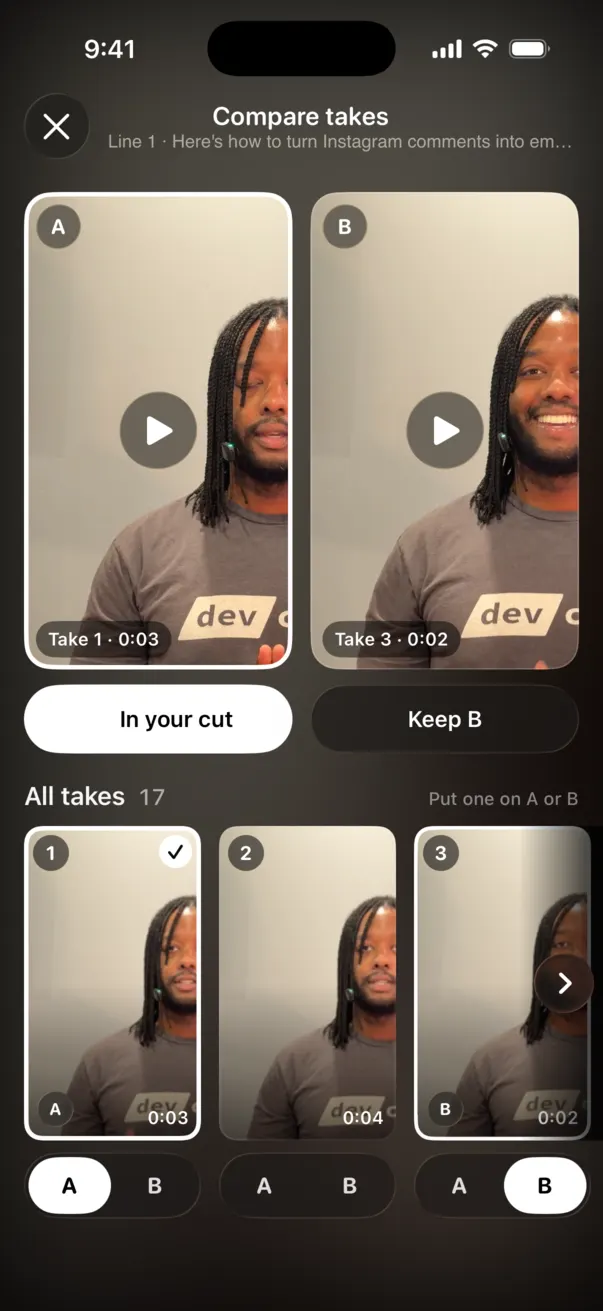
  • Change any pick in a tap, or compare two takes side by side.
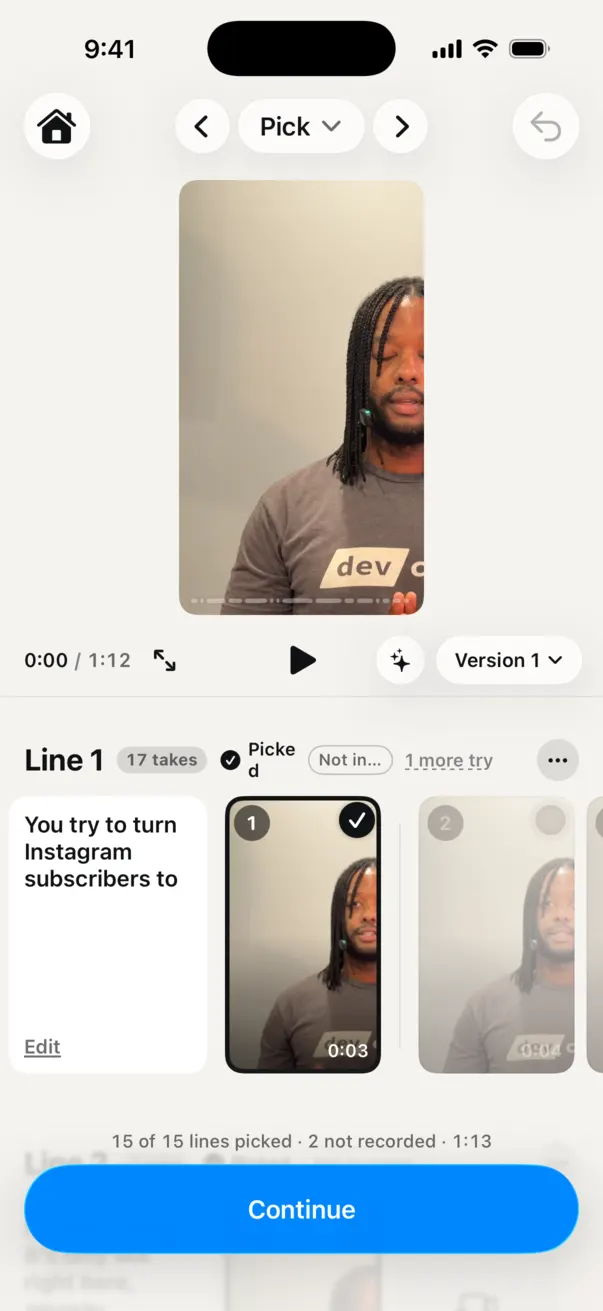
Pick: every take of line 1 in a row.
Compare takes A and B side by side.

A teleprompter that follows your voice.

The script sits right under the lens and moves to the next line when you finish this one. Your eyes stay on your viewer.

Camera with the teleprompter at the top of the screen.

Captions, already on.

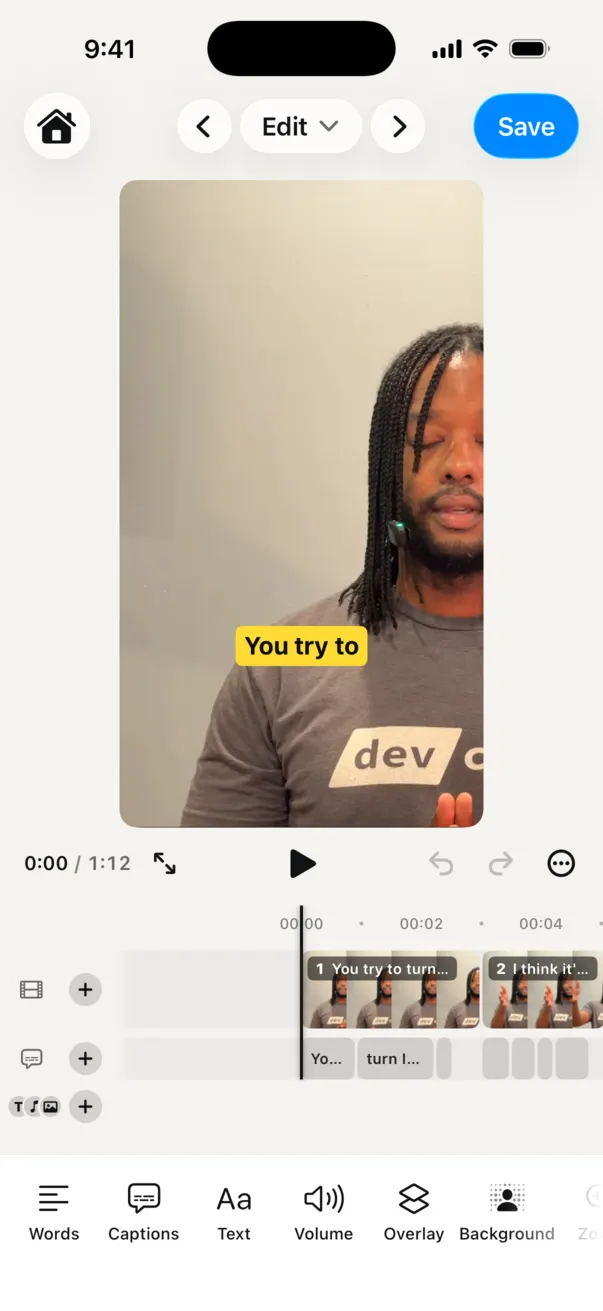
Every word is timed to your voice. Pick a style, fix a word, add a hook, sound or overlay.

Edit step with a yellow caption on the video.

Write with AI.

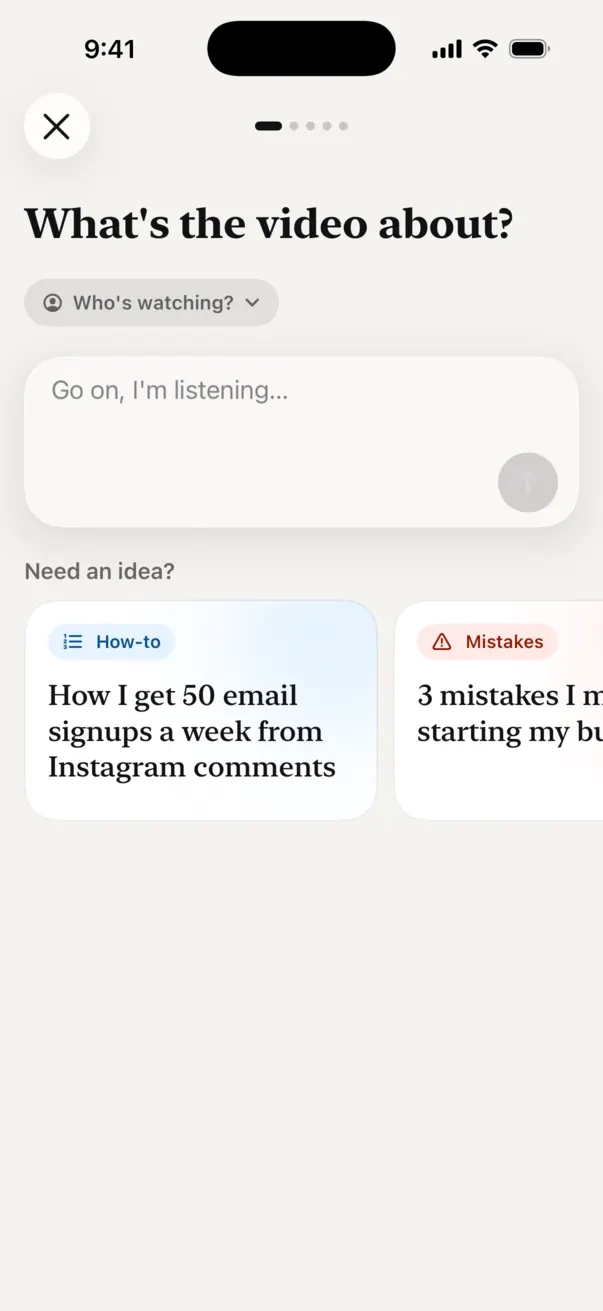
Say what the video is about and who's watching. Get a script in your voice, and keep it in one tap.

Write with AI asking “What's the video about?”

Play while it saves.

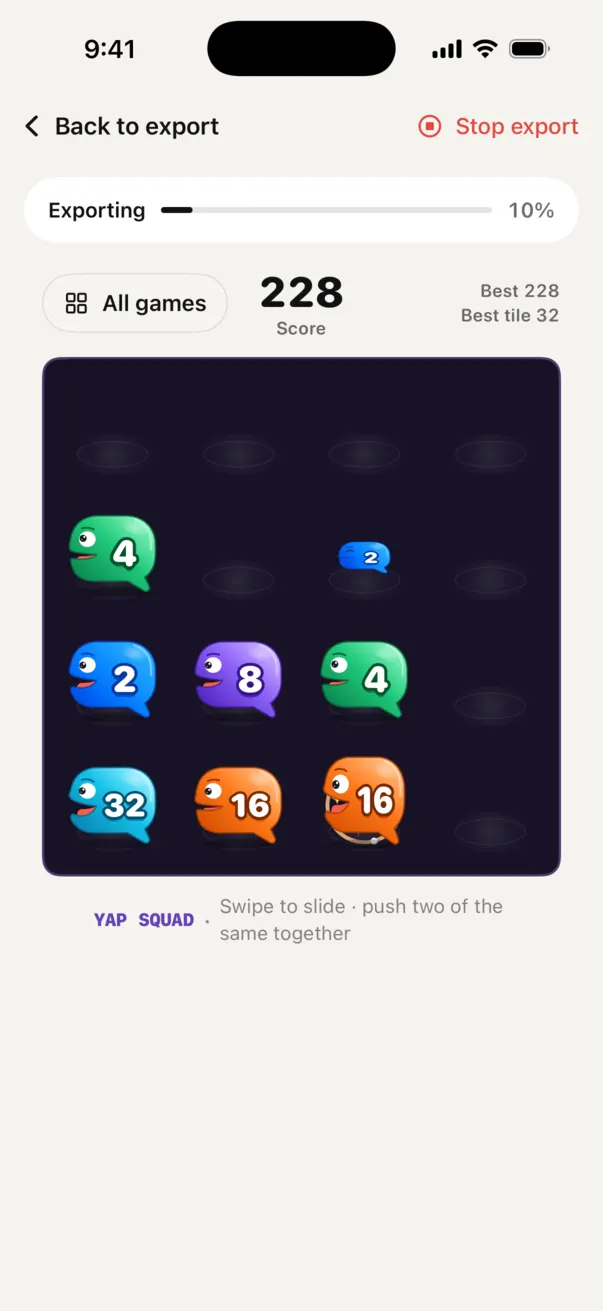
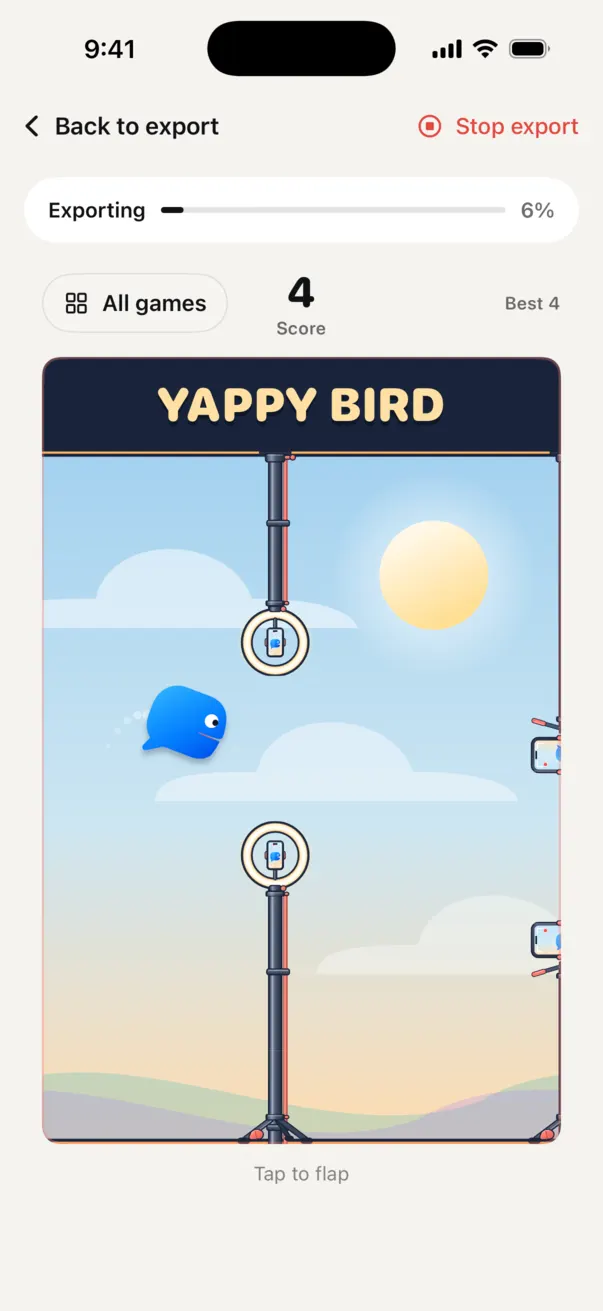
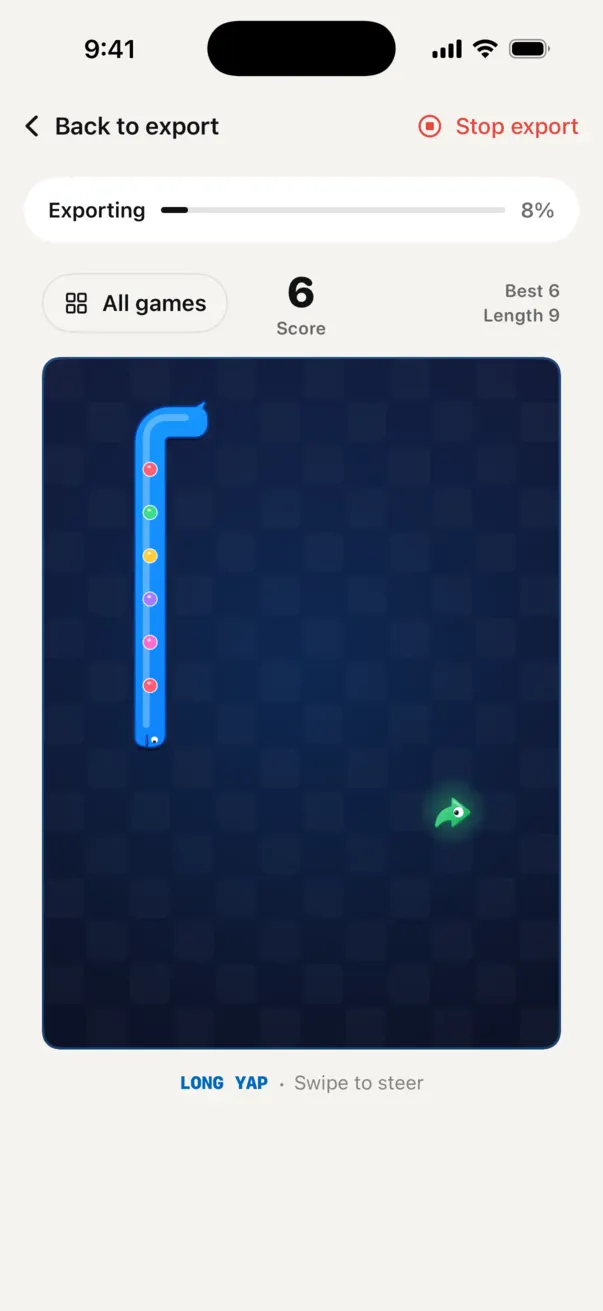
Long videos take a minute to save. Yapcut has a little arcade for that: Yap Pop, Yap Squad, Long Yap and Yappy Bird, starring the Yappers. Silent, and your best scores stay on your iPhone.

Yap Squad
Yap Squad: merge Yappers on a board.
Yappy Bird
Yappy Bird: the blue Yapper flying between mic stands.
Long Yap
Long Yap: a blue Yapper snake collecting likes.

Try it free for 3 days.

Every feature is in every plan. Cancel any time in your iPhone's Settings.

Weekly

$4.99 a week

3 days free first

Film a batch this week, cancel next week if you like.

Yearly

$44.99 a year

About $0.87 a week, for creators who post every week. No free trial on this plan.

US prices. The App Store shows the price in your currency before you subscribe, and subscriptions renew until you cancel.

Questions

How does Yapcut know which take is best?

It listens. Each take is written out word for word on your iPhone and lined up with your script. Takes that stop partway are false starts; takes that say the whole line are candidates, and Yapcut keeps one of those with the dead air trimmed. You see every take and can pick a different one at any time.

Do I need a script?

No. A script lets the teleprompter help you and makes the sorting line by line, but you can skip it and just talk. Write with AI can also draft one for you.

Can I use video I've already filmed?

Yes. On the Record step, choose Import video and Yapcut sorts the takes in it the same way.

Are my videos uploaded anywhere?

No. Your projects, recordings and videos stay on your iPhone, and transcription runs on your iPhone. Only the AI features send text (what you type, or a transcript and script) to Yapcut's server to answer the request. The privacy policy has the details.

Which iPhones does it work on?

Any iPhone that runs iOS 26 or later.

How do I cancel?

Open Settings on your iPhone, tap your name, then Subscriptions, and choose Yapcut. Cancel at least a day before the trial ends and you won't be charged.

Who makes Yapcut?

Aaron Motayne, an independent developer. Questions and ideas are welcome at heyo@foresightcomputers.com, or through Help inside the app.

Your next video is one good take away.

Say it as many times as you need. Yapcut keeps the one you'll want to post.

Download on theApp Store

3 days free. For iPhone.